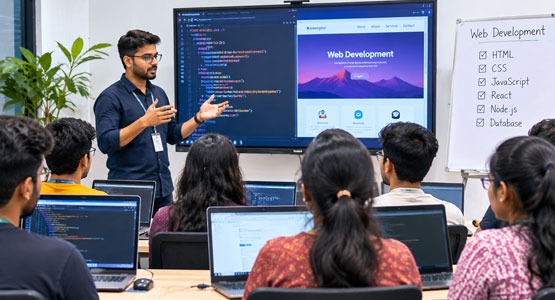
The way businesses connect with customers has changed significantly. Today, a shop, service provider, school, professional or growing company can reach people beyond its immediate neighbourhood through a well-planned website. A website can introduce a business, explain its services, answer common questions, display products and help potential customers make enquiries. Behind every useful website is a combination of design, coding, content and technical planning. This is why website design and development has become an important digital skill for students and job seekers.
If you are searching for a website design and development course in Bongaon, it is useful to choose training that explains both how a website looks and how it works. Learning only to arrange text and images may not be enough for real projects. A stronger foundation includes page structure, styling, responsive layouts, basic programming, databases and the process of publishing a website online. V1 Academy presents website design and development training as one of its IT learning options, with topics such as HTML, CSS, Bootstrap, PHP and MySQL included in its course information.
This guide explains what website design and development involves, which skills beginners should learn, how practical training can help, and what to check before choosing a web development course in Bongaon or nearby areas.
Website design and website development are connected, but they are not exactly the same. Website design focuses on the visual and interactive experience. It includes page layout, colours, typography, spacing, navigation, buttons, images and the way information is organised. A good design helps visitors understand a website quickly and use it comfortably on different devices.
Website development turns that design into a working website. Front-end development deals with the parts visitors see and interact with in a browser. Back-end development handles tasks such as processing information, managing user accounts, connecting to databases and supporting dynamic features. A simple business website may need only a few pages and a contact form, while a more advanced website may include a content management system, product catalogue, booking flow or user dashboard.
For a beginner, understanding the relationship between design and development is valuable. It helps you plan a page before coding, build a consistent layout and understand why a website must work well on both desktop and mobile screens. A course should therefore introduce the visual principles of web pages alongside the technical skills needed to create them.
Learning a digital skill close to home can make regular practice and classroom participation easier. Students from Bongaon and surrounding locations may be looking for a structured way to learn web design without having to travel far every day. A local training option can also make it easier to ask questions, discuss assignments and get feedback while working through a topic.
Web development is useful across many types of organisations. Local businesses need websites to explain their services and receive enquiries. Educational institutions may use websites to share course details and notices. Freelancers can create portfolio websites to present their work. Non-profit organisations may need pages to communicate projects and collect support. These examples show why website skills can be applied in different sectors rather than in only one type of company.
The goal of training is not simply to memorise code. It is to understand how to solve a communication or business problem with a website. For example, a small service provider may need a clear homepage, a list of services, a location section and an enquiry form. A student who can plan and build these elements has a practical example to discuss in an interview or portfolio.
A structured website development course usually begins with the building blocks of the web and gradually introduces more complex concepts. The exact syllabus can vary, so ask the institute for the latest module list before enrolling. The following skills are useful foundations for beginners.
HTML for page structure: HTML, or HyperText Markup Language, organises the content of a web page. It defines headings, paragraphs, links, images, lists, tables, forms and other page elements. Learning semantic HTML helps make content easier for browsers and assistive technologies to understand. Beginners should practise creating a clear page structure rather than placing every element without a plan.
CSS for visual presentation: CSS controls how a page looks. It is used for colours, fonts, spacing, borders, alignment, backgrounds and layouts. With CSS, a learner can turn a basic HTML page into a readable and attractive interface. Important topics include selectors, the box model, positioning, Flexbox, Grid and responsive styling.
Bootstrap and responsive layouts: A responsive website adapts to different screen sizes. This matters because visitors may open a site on a phone, tablet, laptop or desktop monitor. Frameworks such as Bootstrap provide reusable layout and interface components that can help developers build responsive pages more efficiently. Learners should understand the underlying CSS concepts as well, so they can customise a layout instead of depending only on ready-made classes.
JavaScript for interaction: JavaScript adds behaviour to web pages. It can validate forms, respond to clicks, update page content, open menus and support interactive features. Even when a course initially focuses on HTML and CSS, a basic understanding of JavaScript helps learners move towards more dynamic front-end work.
PHP for server-side programming: PHP is a server-side programming language used in many web applications. It can process form submissions, manage sessions, work with data and generate dynamic page content. Beginners should learn variables, conditions, loops, functions, form handling and safe input processing before moving to larger projects.
MySQL and database basics: Many websites need to store information, such as enquiry details, user profiles or product records. MySQL is a relational database system used to organise and retrieve data. A learner should understand tables, fields, records, primary keys, basic queries and how an application communicates with a database. Database knowledge makes it easier to understand how dynamic websites operate.
Testing and publishing: Building a website is only part of the work. Before launch, developers should check links, forms, images, page layouts and behaviour on different screen sizes. They should also understand basic hosting, domain names, file organisation, backups and secure publishing practices. A course that introduces testing and deployment gives learners a more complete view of the website creation process.
Watching a teacher write code can help introduce a concept, but independent practice is what develops confidence. Students should have opportunities to create pages, make mistakes, debug errors and improve their work. A practical learning approach turns abstract topics into tasks with visible results.
A beginner project might be a personal profile website with an introduction, skills section, project gallery and contact details. A second project could be a small business website with a homepage, service pages, about section and enquiry form. Later, learners can explore a dynamic project that stores submitted information in a database. Each project introduces a new set of decisions and helps students connect multiple skills.
When reviewing a training institute, ask how much time is allocated to hands-on work. Find out whether students build projects individually, receive code reviews and get help when they are stuck. Ask whether the projects are updated for current browser and device expectations. Practical work should be supported by explanations, not just copied from a screen.
A useful project portfolio should show what you personally contributed. Keep screenshots, project descriptions and a short explanation of the problem each website solves. If the project is hosted online, include a working link. Never claim that a group project or tutorial exercise is entirely your own work; explain your role honestly.
Website design and development skills can support several career directions. A beginner may start by assisting with website updates, creating basic pages or supporting a more experienced developer. With further practice, a learner may explore front-end development, PHP development, WordPress or other content management systems, website maintenance, quality testing or freelance website projects.
A web designer often concentrates on page layout, visual consistency and usability. A front-end developer translates interface designs into browser-based experiences. A back-end developer works on server-side logic, data handling and application features. A full-stack developer works across both front-end and back-end areas, although reaching that level generally requires broader experience and continuous learning.
Freelancing is another possible route, but it involves more than coding. Freelancers need to understand client requirements, estimate project scope, communicate clearly, agree on revisions, manage deadlines and provide support after delivery. A portfolio and reliable working process can be as important as technical knowledge when approaching clients.
A training course can provide a starting point, but it cannot guarantee a particular job, salary or freelance income. Outcomes depend on the learner's practice, project quality, communication, interview preparation, local opportunities and the requirements of employers. Treat placement or job-assurance statements as subject to the institute's published eligibility conditions, written terms and current availability. Ask for those details before making an admission decision.
Choosing a course is an important decision, so compare the learning experience rather than relying only on a course name or promotional claim. Start by checking whether the syllabus is clear and suitable for beginners. It should explain the topics covered, the order in which they are taught and the practical outcomes students are expected to achieve.
Ask about the trainer's experience and how doubts are handled. A supportive learning environment should allow students to ask questions, revisit difficult topics and receive useful feedback. Also check class format, batch size, attendance expectations, lab access and whether students can practise outside scheduled sessions.
Confirm the course duration, total fees, payment schedule, any additional costs and what is included. Ask whether study material, software guidance, project support and assessments are part of the programme. Get important details in writing so that you can compare options accurately.
If an institute mentions internships, apprenticeships or job assistance, ask how the process works. Clarify whether the opportunity is guaranteed or conditional, what eligibility rules apply, whether there is a selection process and what kind of role is involved. Ask for the current written policy rather than relying on a general statement. A responsible decision is based on clear information.
Finally, look at the institute's location and contact options. Students from Bongaon, Chandpara, Gaighata, Habra and nearby areas may want to check travel time, class schedules and the availability of a person who can answer admission questions.
V1 Academy lists Website Design and Development among its training options. Its published course information refers to foundational web technologies and development topics, including HTML, CSS, Bootstrap, PHP and MySQL. It also describes areas such as CMS design, database relationships, API creation, testing, FTP uploading and hosting management. These subjects cover several stages of website creation, from page structure to publishing a working project.
For someone starting from the basics, this combination can help build an understanding of both front-end presentation and back-end functionality. HTML and CSS provide the foundation for page content and design. Bootstrap introduces a framework-based approach to responsive layouts. PHP and MySQL introduce server-side programming and database concepts. Testing and hosting topics help learners understand what happens when a website is prepared for public use.
Before joining, prospective students should contact V1 Academy to confirm the current syllabus, course duration, fees, batch timings, practical project details and admission process. Course information can change over time, and it is always better to make a decision using the latest details supplied directly by the institute.
If you are comparing a web development course in Bongaon, consider visiting the institute or speaking with its team. Ask to see examples of student projects, understand how practical sessions are conducted and confirm what level of support is available after each module. These questions can help you decide whether the learning programme matches your goals.
If you are new to website development, learning in stages can make the subject easier to manage. Begin with how websites work: browsers, servers, domains, hosting and the difference between static and dynamic websites. Then learn HTML and create a few simple pages with headings, paragraphs, links, images and forms.
Next, practise CSS. Recreate simple page layouts, work with spacing and typography, and learn how to make a design fit a mobile screen. After that, use a responsive framework such as Bootstrap while continuing to understand the CSS behind it. Build a multi-page website and test it on different screen sizes.
Once you are comfortable with page structure and styling, introduce JavaScript fundamentals. Practise small interactions such as menu toggles and basic form validation. Then move towards PHP and database concepts if your learning path includes back-end development. Start with simple form processing and gradually build a small application that stores and displays information.
Throughout the process, keep a learning journal. Write down new concepts, errors you encountered and how you solved them. Revisit older projects and improve their accessibility, responsiveness and loading performance. Regular practice is more valuable than trying to learn every technology at once.
A website should be planned around the people who will use it. Before designing a page, identify its purpose and the main action visitors should take. A training institute website, for example, should make courses easy to find, explain who the programme is suitable for and provide a straightforward way to ask questions.
Navigation should use familiar labels and a clear structure. Important information should not be hidden behind confusing menus. Text should be readable, buttons should be easy to identify and forms should ask only for information that is genuinely needed. Images should support the content and have descriptive alternative text when they communicate meaningful information.
Mobile usability is especially important. A layout that looks good on a wide monitor may become difficult to use on a phone if text is too small, buttons are too close together or content overflows horizontally. Responsive design, accessible contrast and sensible spacing make a website more comfortable for a wider range of visitors.
Performance also affects the experience. Use appropriately sized images, avoid unnecessary scripts and keep page layouts organised. Test important pages and forms before publishing. These habits help learners create websites that are not only attractive but also practical and dependable.
One common mistake is trying to memorise code without understanding what it does. Instead, change examples, test different values and explain each part in your own words. Another mistake is copying a complete template without learning how its layout works. Templates can be useful for practice, but learners should be able to customise them and explain their choices.
Beginners sometimes ignore mobile screens until the end of a project. It is better to check responsive behaviour throughout development. Others forget to test forms, links and navigation, even though these elements are central to many websites. A page that looks complete but has a broken enquiry form is not ready to launch.
It is also easy to underestimate the importance of clear communication. When building a website for a client or a project brief, confirm the audience, required pages, content, images, contact details and expected deadline. Keep a record of decisions and test the final result against the original requirements.
Finally, do not assume that completing a course means learning has ended. Web technologies change, browsers evolve and new tools appear. Strong developers keep learning, practise regularly and update their skills as project needs change.
Is website design and development suitable for beginners?
Yes. Beginners can start with HTML and CSS and gradually move towards responsive design, JavaScript, PHP and databases. A structured course and regular practice can make the learning process easier.
What should I learn first: web design or web development?
Start by understanding basic page structure with HTML, then learn CSS for layout and visual design. As your confidence grows, add JavaScript and back-end concepts. Understanding both design and development gives you a more complete view of how websites are made.
Do I need advanced mathematics to learn web development?
Most beginner website projects do not require advanced mathematics. Logical thinking, attention to detail and a willingness to practise are more important at the starting stage. Some specialised areas may involve more complex mathematics later.
Can I create a website after completing a course?
Your ability will depend on the syllabus, the amount of practice you complete and the complexity of the website. Aim to build several projects during training and continue improving them after each module.
Does a web development course guarantee a job?
No course should be treated as an unconditional guarantee of employment. Job opportunities depend on skills, portfolio, interviews, employer requirements and market conditions. If an institute offers job assistance or assurance, read the written terms and eligibility conditions carefully.
How do I enquire about the website development course at V1 Academy?
Use the contact details or admission enquiry options published on the official V1 Academy website. Confirm the latest course syllabus, fees, duration, batch schedule and admission requirements directly with the institute.
A website is more than a collection of pages. It is a tool that helps people discover information, understand services and take action. Learning how to plan, design, develop, test and publish websites can give students a useful foundation for exploring the digital industry. The most effective learning path combines clear explanations with regular practice and projects that solve real problems.
If you are looking for a website design and development course in Bongaon, compare the syllabus, practical sessions, trainer support, fees and course conditions before enrolling. V1 Academy lists website design and development training among its IT courses, covering topics from HTML and CSS to PHP, MySQL, testing and hosting-related concepts. Contact the institute to confirm the latest programme details and decide whether it fits your learning goals.
Take the first step by understanding what you want to build, asking the right questions and committing time to practise. With a strong foundation and consistent effort, you can begin developing the skills needed to create useful websites and continue learning as the digital world evolves.

From Student to Developer: The Power of Programming Training in Gaighata

Career Opportunities After Completing a Graphic Design Course in Kalasima
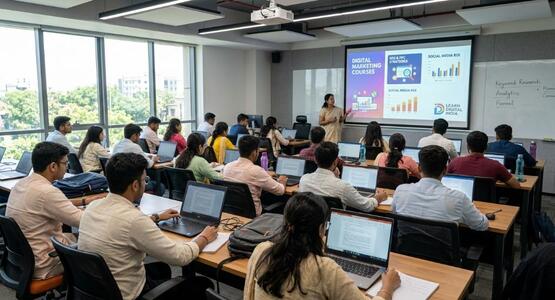
From Student to Digital Marketing Professional: How Digital Marketing Courses in Bongaon Can Transform Your Future
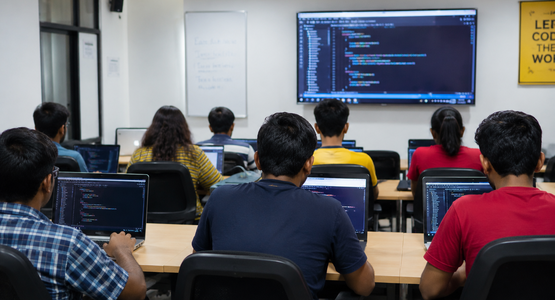
How Learning Python in Nahata Can Open Doors to Global Tech Opportunities

Why Students in Nahata Are Choosing Graphic Design as a Career in 2026
How a Mobile App Development Course in Kalasima Prepares You for the IT Industry

Graphic Designer Course in Helencha to Start a Successful Graphic Design Career

How Students Can Prepare for Job Opportunities for Graphic Designer in Kalupur

Programming Careers in Kolkata: What Happens After You Learn to Code?

Top Career Growth Opportunities for Digital Marketing Professionals in Gaighata

Career Opportunities After Learning Ionic App Design in Gopalnagar

Career Growth Potential Through IT Job Opportunities in Thakurnagar

Faculties from Mobile App Development Institute and Web Designing Institute work hand in hand as these are some of the essential requisites that a digital marketer needs to understand.
Sources